
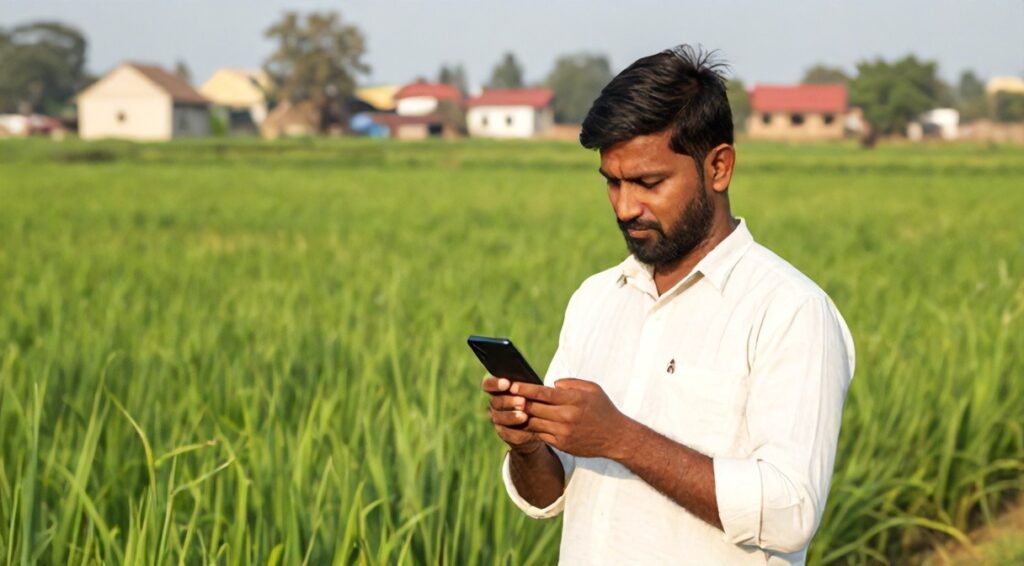
Farmers across India who depend on agricultural support can easily check PM Kisan beneficiary status and update their mandatory authentication details directly from their phones or computers. The Pradhan Mantri Kisan Samman Nidhi (PM-KISAN), launched by the Central Government, provides financial assistance of ₹6,000 per year to eligible landholding farmer families. This amount is disbursed in three equal four-monthly installments of ₹2,000 each via Direct Benefit Transfer (DBT). To ensure that funds reach the rightful recipients and eliminate fraudulent claims, the Ministry of Agriculture and Farmers Welfare mandates periodic verification checks, including electronic Know Your Customer (eKYC), land record validation, and active Aadhaar-bank account seeding.
If your installment has stopped or you want to track whether your records are fully up to date, monitoring your dashboard on the official government portal is the quickest way forward. This comprehensive guide walks you through the step-by-step procedure to check your status, complete your eKYC online or offline, and troubleshoot common payment hold-ups.
Understanding PM-KISAN Eligibility and Mandates
Before checking your payment status, it is helpful to understand the prerequisites for receiving scheme benefits. Under PM-KISAN guidelines, a landholding farmer family consists of a husband, wife, and minor children owning cultivable land as per the respective state or union territory land records.
Certain categories of individuals are strictly excluded from the scheme, regardless of land ownership:
- All institutional landholders.
- Farmer families where one or more members hold or held constitutional posts.
- Former and present Ministers, Members of Parliament (MPs), Members of Legislative Assemblies (MLAs), Mayors of Municipal Corporations, and Chairpersons of District Panchayats.
- All serving or retired officers and employees of central/state government ministries, departments, offices, and Public Sector Undertakings (PSUs), excluding Multi-Tasking Staff (MTS), Class IV, or Group D employees.
- All persons who paid Income Tax in the previous assessment year.
- Professionals such as practicing Doctors, Engineers, Lawyers, Chartered Accountants, and Architects registered with professional bodies.
- All superannuated or retired pensioners whose monthly pension is ₹10,000 or more (excluding Group D / Class IV retirees).
How to Check PM Kisan Beneficiary Status Online
The central government maintains a unified interface through the official PM-KISAN web portal (pmkisan.gov.in). Beneficiaries can check their verification parameters, historical payments, and the status of upcoming tranches through the following procedure:
- Visit the Official Portal: Open your web browser and navigate to https://pmkisan.gov.in.
- Locate Farmers Corner: On the homepage, scroll down to the dedicated Farmers Corner section on the right side or main menu.
- Select ‘Beneficiary Status’: Click on the Beneficiary Status tab. You will be redirected to the status inquiry screen.
- Enter Required Credentials: You will be prompted to enter your Registration Number and the Captcha code shown on the screen.
- Generate OTP: Click on Get OTP. A one-time password will be sent to your registered mobile number linked with the PM-KISAN account.
- View Dashboard: Enter the OTP received and click on Get Data. Your complete beneficiary profile, transaction history, and eligibility criteria checklist will appear.
How to Find Your Registration Number
If you do not remember your PM-KISAN Registration Number, follow these steps on the same portal:
- Click the Know Your Registration Number link located at the top-right corner of the Beneficiary Status page.
- Choose your search method: either Mobile Number or Aadhaar Number.
- Enter the corresponding number, type the Captcha code, and click Get Mobile OTP.
- Submit the OTP received on your mobile. Your PM-KISAN Registration Number alongside your name will be displayed on the screen. Note this down for future inquiries.
Decoding the Beneficiary Status Dashboard
When your beneficiary status report loads, review the Eligibility Status section carefully. If any of these values are negative, your next installment may be paused:
- Land Seeding (Yes/No): Confirms whether your land ownership documents have been verified and seeded by the state revenue department. If this says No, payments will remain blocked until your local patwari or district agriculture officer verifies the land records.
- eKYC Done (Yes/No): Indicates whether your biometric, face, or OTP-based Aadhaar validation has been successfully recorded. It must say Yes.
- Aadhaar Bank Account Seeding Status (Yes/No): All PM-KISAN payments are executed via Aadhaar Payment Bridge (APB). Your bank account must be linked to Aadhaar and mapped in the National Payments Corporation of India (NPCI) server.
- FTO Processed (Yes/No): FTO stands for Fund Transfer Order. If it displays Yes, the central government has cleared the transfer instruction, and the amount will reach your bank shortly. If it says Payment confirmation is pending, the bank is processing the credit.
Why eKYC is Mandatory and How to Complete It
The Ministry of Agriculture has made eKYC compulsory for all registered farmers under PM-KISAN to eliminate duplicate beneficiaries, dead accounts, and ineligible claimants. There are three official ways to complete your eKYC:
Method 1: OTP-Based eKYC (Online via Portal)
This method is free, takes less than two minutes, and can be done from any smartphone, provided your mobile number is already linked to your Aadhaar card:
- Go to the PM-KISAN portal.
- Under Farmers Corner, click on eKYC.
- Enter your 12-digit Aadhaar number and click Search.
- Enter the mobile number linked with your Aadhaar and click Get Mobile OTP.
- Enter the 4-digit OTP sent to your phone and click Submit OTP.
- Next, click Get Aadhaar OTP to receive a 6-digit verification code directly from UIDAI.
- Enter the 6-digit Aadhaar OTP and click Submit For Auth.
- If successful, a message stating “eKYC has been done successfully” will appear.
Method 2: Biometric eKYC at Common Service Centres (CSC)
If your mobile number is not linked to your Aadhaar card, or if you do not receive the UIDAI OTP, you can complete eKYC through physical biometric verification:
- Visit your nearest Common Service Centre (CSC) or State Seva Kendra.
- Provide your Aadhaar number to the operator.
- Place your thumb or finger on the biometric scanner to verify your identity against UIDAI records.
- The CSC operator will submit the authentication and charge a nominal fee fixed by the government for this service.
Method 3: Face Authentication via the PM-KISAN Mobile App
The Ministry of Agriculture has introduced a face-authentication feature in the official PM-KISAN mobile application. This is particularly useful in remote areas where biometric scanners or OTP deliveries face issues:
- Download the PM-KISAN official app from the Google Play Store along with the AadhaarFaceRd app issued by UIDAI.
- Log in to the PM-KISAN app using your registration number and mobile OTP.
- Select the eKYC option, scan your face using the smartphone front camera under good lighting, and submit. The facial scan completes the eKYC process without needing a fingerprint scanner.
Resolving Common Beneficiary Status Issues
Many farmers discover that their payments are delayed due to administrative or banking discrepancies. Here is how to fix the most frequent roadblocks:
1. Land Seeding Marked as ‘No’
If your status displays Land Seeding: No, the state revenue department has not linked your physical land parcel documents with your online PM-KISAN identifier. To fix this, carry a copy of your land ownership records (such as Jamabandi, Khatoni, or RoR), your Aadhaar card, and your PM-KISAN registration details to your local Sub-Divisional Agriculture Officer or Tehsil/Revenue Office (Patwari) for manual verification and updation in the state portal.
2. Aadhaar-Bank Account Not Seeded (NPCI Mapping)
A standard bank account linking is not the same as Aadhaar DBT mapping. You must visit your bank branch and submit the “Aadhaar DBT Mandate Form” to link your Aadhaar number to the NPCI mapper for Direct Benefit Transfer. Alternatively, opening a basic account with the India Post Payments Bank (IPPB) often resolves NPCI seeding delays quickly, as IPPB accounts enable DBT integration by default.
3. Name Mismatch
If your name spelling in the PM-KISAN application differs from your official Aadhaar card, payments will fail at the Public Financial Management System (PFMS) level. Use the Name Correction as Per Aadhaar module under Farmers Corner on the portal to adjust your recorded name so it matches your identity documents exactly.
Official Grievance Redressal and Helpline
If your dashboard shows all parameters (Land Seeding, eKYC, and Aadhaar Seeding) as active, yet you have not received credited installments, you can submit an official complaint through the government grievance mechanism:
- PM-KISAN Toll-Free Helpline: 155261 / 1800-115-526
- Direct Office Contact: 011-23381092 or 011-24300606
- Online Helpdesk: Use the Helpdesk Query Form under Farmers Corner on the portal to register complaints regarding installment delays, account correction, or OTP issues.
Frequently Asked Questions (FAQs)
1. How often is the PM Kisan beneficiary status updated?
The PM-KISAN beneficiary status dashboard updates dynamically whenever the state verification officers validate land records, when UIDAI records eKYC confirmations, and when the central government prepares the Fund Transfer Order (FTO) ahead of each payment release cycle.
2. Can I receive PM-KISAN installments without completing eKYC?
No. The central government has made eKYC mandatory for all registered farmers. If eKYC is incomplete, your account will be placed on hold, and upcoming installments will not be released until the verification is successful.
3. What does ‘FTO is Generated and Payment confirmation is pending’ mean?
This message is completely normal during the release of an installment. It means the government has authorized the transfer instruction (Fund Transfer Order), and your bank is in the process of crediting the funds to your account via the Direct Benefit Transfer system.
4. Are both husband and wife eligible to receive PM Kisan payments?
No. Under the official operational guidelines of PM-KISAN, the scheme defines a family as husband, wife, and minor children. Only one eligible landholding member per family can receive the financial benefit of ₹6,000 per year.
5. What should I do if my registered mobile number is lost?
If you lose access to your registered mobile number, you can update your mobile contact details by logging into the PM Kisan portal using Aadhaar authentication, or by visiting a nearby Common Service Centre (CSC) to update your profile via biometric authorization.